A great logo can make a new business feel established. But hiring a designer is not always possible, especially for a startup, freelancer, creator, or small business. AI logo design offers a faster way to explore ideas and create a strong visual identity without needing advanced design skills.
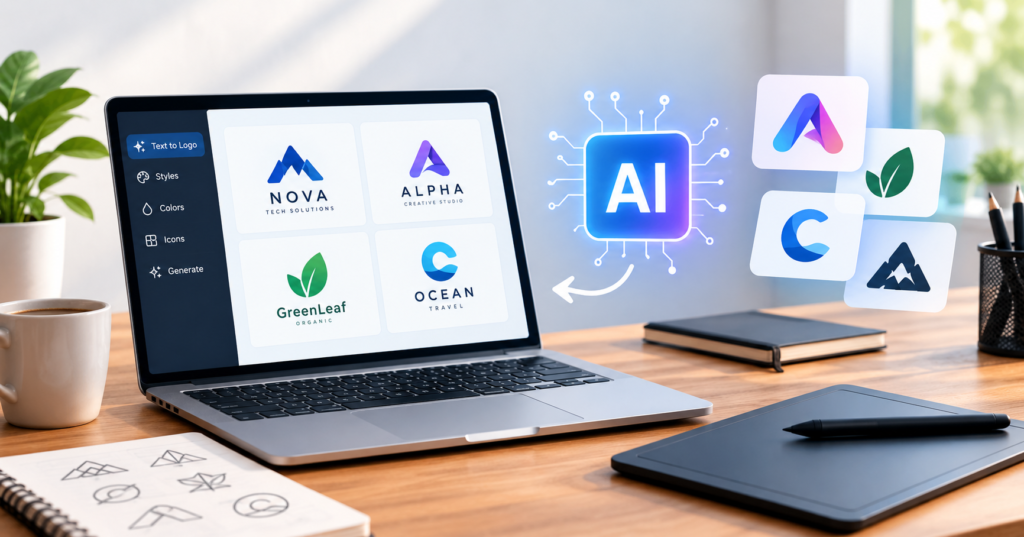
Modern AI logo generators can turn a simple text description into logo concepts in seconds. You can describe your business, preferred colors, design style, and visual idea, then generate several options and refine the one you like. Tools such as Adobe Firefly and Adobe Express now support AI-assisted logo creation and editing.
Still, creating a good logo is not just about clicking “Generate.” The best results come from combining AI with basic branding and design principles. This guide explains how to use AI for logo design and how to turn an AI-generated concept into a useful brand asset.
What Is AI Logo Design?
AI logo design is the use of artificial intelligence to create or develop logo concepts from written instructions, references, or existing designs.
Instead of drawing every shape manually, you can tell an AI design tool what you want. For example, you might enter a prompt such as “minimalist logo for a modern coffee brand using a simple coffee bean icon and warm colors.”
The AI then analyzes the description and generates visual concepts based on it.
Some tools can create wordmarks, icons, abstract symbols, mascots, emblems, and other logo styles. Adobe Firefly, for example, can generate logo ideas from descriptions of a business, industry, or desired style.
AI does not remove the need for creative thinking. Instead, it can make the early design process much faster.
Why Are Businesses Using AI Logo Generators?
One major reason is speed. Traditional logo design can involve research, sketches, revisions, and several rounds of feedback. AI can produce multiple starting concepts in a short time.
This is useful for a small business owner who needs a basic visual identity quickly. It is also useful for designers who want to explore several creative directions before developing the final design.
Another advantage is accessibility. You do not need to know advanced graphic design software to experiment with an AI logo generator. Many tools allow users to describe their desired design in ordinary language and then adjust the result. Adobe Express, for example, lets users enter a text prompt, generate logo options, refine them, and download the result.
The biggest value, however, is often idea generation. If you know your business but cannot decide how the logo should look, AI can give you several directions to consider.
How AI Logo Design Works
The process usually starts with a prompt. The prompt tells the AI what kind of logo you want.
A basic prompt might say:
“Modern logo for a digital marketing agency.”
That can produce an initial concept, but it is quite broad. A more detailed prompt can provide better creative direction.
For example:
“Create a clean minimalist logo for a digital marketing agency. Use a simple geometric icon, modern typography, dark blue and white, and a professional technology-focused style.”
The second prompt gives the AI more information about the brand, industry, colors, shape, typography, and overall mood.
Modern AI design tools can also allow users to provide reference images or sketches. Adobe Express, for example, supports adding reference images and regenerating designs based on a preferred direction.
How to Write a Better AI Logo Prompt
The quality of your prompt can strongly affect the direction of the generated design.
Start with the type of business. Tell the AI whether the logo is for a restaurant, software company, clothing brand, fitness business, real estate agency, personal brand, or another type of organization.
Next, describe the visual style. Words such as minimalist, modern, luxury, playful, vintage, geometric, elegant, bold, or hand-drawn can help define the direction.
Then consider the symbol. If your business has an important concept, mention it clearly. A travel company might want a mountain, compass, airplane, or abstract journey symbol. A technology company might prefer a geometric shape or abstract digital symbol.
Color also matters. Instead of simply saying “make it colorful,” provide a specific direction such as black and white, blue and silver, earthy tones, or soft pastel colors.
Typography can also be included. You might request a bold sans-serif wordmark, elegant serif lettering, or a simple handwritten style.
Adobe’s guidance for AI image prompts recommends including details such as design style, industry context, visual elements, color schemes, and typography direction when generating logo concepts.
Choosing the Right Logo Style
Different businesses need different visual approaches.
A wordmark logo focuses mainly on the business name. This can work well when the company name is short and memorable.
An icon logo uses a visual symbol that represents the brand. This can be useful for companies that want a simple mark that works well on social media profiles, apps, packaging, or websites.
A combination logo uses both text and an icon. It gives businesses flexibility because the complete version can be used in one place while the symbol can be used separately elsewhere.
A mascot logo uses a character or illustrated figure. This style can work well for sports brands, gaming companies, food businesses, entertainment brands, and other businesses that want a more expressive identity.
An abstract logo uses shapes and visual ideas instead of a literal representation of the business. This approach can give a brand a more distinctive and flexible appearance.
The important thing is not to choose a style simply because it looks attractive. The logo should match the personality and audience of the brand.
AI Logo Design for Small Businesses
Small businesses can benefit from AI logo design because it lowers the barrier to exploring professional branding ideas.
Imagine someone opening a small bakery. They may not have a large branding budget, but they still need a logo for their website, packaging, social media pages, and business cards.
They could use an AI logo generator to explore several concepts, such as a simple wheat icon, a hand-drawn bread symbol, or a clean bakery wordmark. After choosing a direction, they can refine the design and create supporting brand materials.
The same approach can work for freelancers, YouTubers, online stores, local services, startups, and personal brands.
AI is especially useful at the concept stage because it can help someone move from “I need a logo” to a clearer visual idea.
AI Logo Design vs. Hiring a Professional Designer
AI and professional logo design serve different purposes.
AI is useful when you need ideas quickly, want to experiment with different styles, or have a limited budget. It can also help a designer explore concepts before spending time creating polished versions.
A professional designer brings human judgment, brand research, typography knowledge, visual balance, and strategic thinking. They can also develop a complete identity system around the logo.
For a serious brand that plans to operate for many years, the logo should be considered as part of a wider branding strategy rather than a standalone picture.
A practical approach is to use AI for exploration and then refine the strongest concept with professional design tools or a designer when the brand requires a more polished identity.
Common Problems With AI-Generated Logos
AI-generated logos can look impressive at first but still have practical problems.
One issue is excessive detail. A logo that looks attractive in a large image may become difficult to recognize when reduced to a small social media icon.
Another issue is typography. AI image generators can sometimes produce unusual or incorrect lettering. This means you should carefully check the business name before using the result publicly.
AI can also create designs that feel generic. If thousands of businesses use similar prompts and visual styles, their logos may end up looking alike.
There can also be questions about originality, licensing, and trademark availability. The rules can vary depending on the tool, the generated content, and how the logo is used. Businesses should review the specific tool’s terms and check trademark availability before adopting a logo as a permanent brand identifier.
How to Improve an AI-Generated Logo
The first generated image should rarely be treated as the final logo.
Start by choosing the concept that best represents the business. Then simplify it.
Remove unnecessary decorative elements. Check whether the symbol remains recognizable at a small size. Test the design on both light and dark backgrounds.
You should also check whether the logo works without color. A strong logo should usually remain understandable when printed in black and white.
Next, review the typography. Make sure the company name is spelled correctly and that the font matches the brand personality.
Finally, create different versions for different uses. You may need a horizontal logo, square version, icon-only mark, and versions with transparent backgrounds.
AI-assisted design tools increasingly support this kind of refinement. Adobe’s current AI design workflow, for example, allows users to generate concepts and then adjust colors, composition, and other elements instead of stopping with the first generated image.
Real Example: Creating a Logo for a Tech Startup
Imagine a startup called NovaFlow that provides business automation software.
A weak prompt would be:
“Create a logo for NovaFlow.”
It gives the AI very little direction.
A stronger prompt could be:
“Create a minimalist logo for NovaFlow, a modern business automation software company. Use a simple abstract flow symbol combined with clean sans-serif typography. Use a professional blue and dark gray palette. Keep the design simple, scalable, and suitable for a website, mobile app, and social media.”
The second prompt explains what the business does and gives the AI a clear creative direction.
The business owner could then generate several concepts, compare them, select the strongest idea, and refine it before using it across the brand.
Is AI Logo Design Good for SEO?
A logo itself does not replace SEO, but it can support a professional website experience.
Your logo can be optimized as an image by using an appropriate file format, descriptive alternative text, and a sensible filename. Google recommends using words that people would use to find relevant content and following image-specific best practices.
More importantly, your website should provide useful information about the business. A visually attractive logo will not compensate for poor content, slow pages, confusing navigation, or a lack of useful information.
Google’s guidance emphasizes people-first content and says creators should focus on helping visitors rather than producing content mainly to manipulate search rankings.
The Future of AI Logo Design
AI logo design is likely to become more integrated with broader brand design workflows.
Instead of creating only one logo image, AI tools can help businesses explore a complete visual direction, including colors, typography, social graphics, marketing layouts, and other brand assets.
Adobe already describes AI-powered workflows that connect logo concepts with broader brand assets and brand style guides.
This means the future of AI branding may be less about generating one perfect image and more about creating a consistent visual system around a business.
Frequently Asked Questions
What is AI logo design?
AI logo design uses artificial intelligence to generate logo concepts from text prompts, references, sketches, or other creative instructions. It can help users explore different visual styles without advanced design skills.
Can I create a logo with AI for free?
Yes. Some AI logo tools offer free generations or free versions. For example, Adobe currently offers AI logo generation through Adobe Express and free logo idea generation through Firefly, although usage limits and features can vary.
Can AI make a professional logo?
AI can create professional-looking logo concepts, but the final quality depends on the prompt, tool, and editing process. A generated concept may still need changes to typography, spacing, simplicity, colors, and scalability.
What should I include in an AI logo prompt?
Include the business name, industry, desired style, visual symbol, color direction, typography preference, and where the logo will be used. More specific instructions can give the AI a clearer creative direction.
Are AI-generated logos unique?
Not necessarily. AI can generate original-looking concepts, but you should not assume that a generated logo is automatically unique or legally available for exclusive trademark use. Check the tool’s terms and conduct appropriate trademark research before adopting it.
Can I use an AI-generated logo for my business?
This depends on the AI tool’s terms, the way the logo was generated, and your intended use. Review the platform’s current commercial-use and licensing rules before using the design as a business logo.
Should I use AI or hire a logo designer?
AI can be useful for quick concepts and experimentation, while a professional designer can provide deeper branding strategy and custom refinement. The right option depends on your budget, business goals, and how important the visual identity is to your brand.
Conclusion
AI logo design has made it easier than ever to explore branding ideas. A simple prompt can produce multiple concepts in minutes, making AI useful for startups, freelancers, creators, and small businesses.
But a good logo is more than an attractive image. It should be simple, recognizable, relevant to the brand, readable at different sizes, and practical across websites, packaging, social media, and other platforms.
Use AI as a creative partner rather than relying on the first result. Write detailed prompts, explore different directions, refine your favorite concept, check the typography, and review licensing and trademark considerations before making the design your permanent brand identity.
If you are starting a new business or refreshing an existing brand, try an AI logo generator today and turn your brand idea into a visual concept you can build on.